Your own magazine cover, title tucked behind your head
This magazine cover maker restages your photo as a cover shoot, or makes the picture from a description, then lets you lay out the masthead, headline and cover lines yourself. The magazine name can sit behind your subject like on a real newsstand cover, and every word is spelled the way you typed it.
- Per image
- from 31 credits
- ≈Rp 2.480+
- 4 variations
- 124 credits
- ≈Rp 9.920
- If it fails
- 0 credits
- you get them back
That is the cheapest way in: a cover picture from a description, at Low quality. Medium costs about twice that. High, and every cover made from your own photo, use the best model and cost nearly four times as much, so faces and pets stay true to the photo. The exact price shows before you run it, and the first text on each picture is free.
Free to sign up, no card needed. Top up from Rp 10rb = 125 credits.
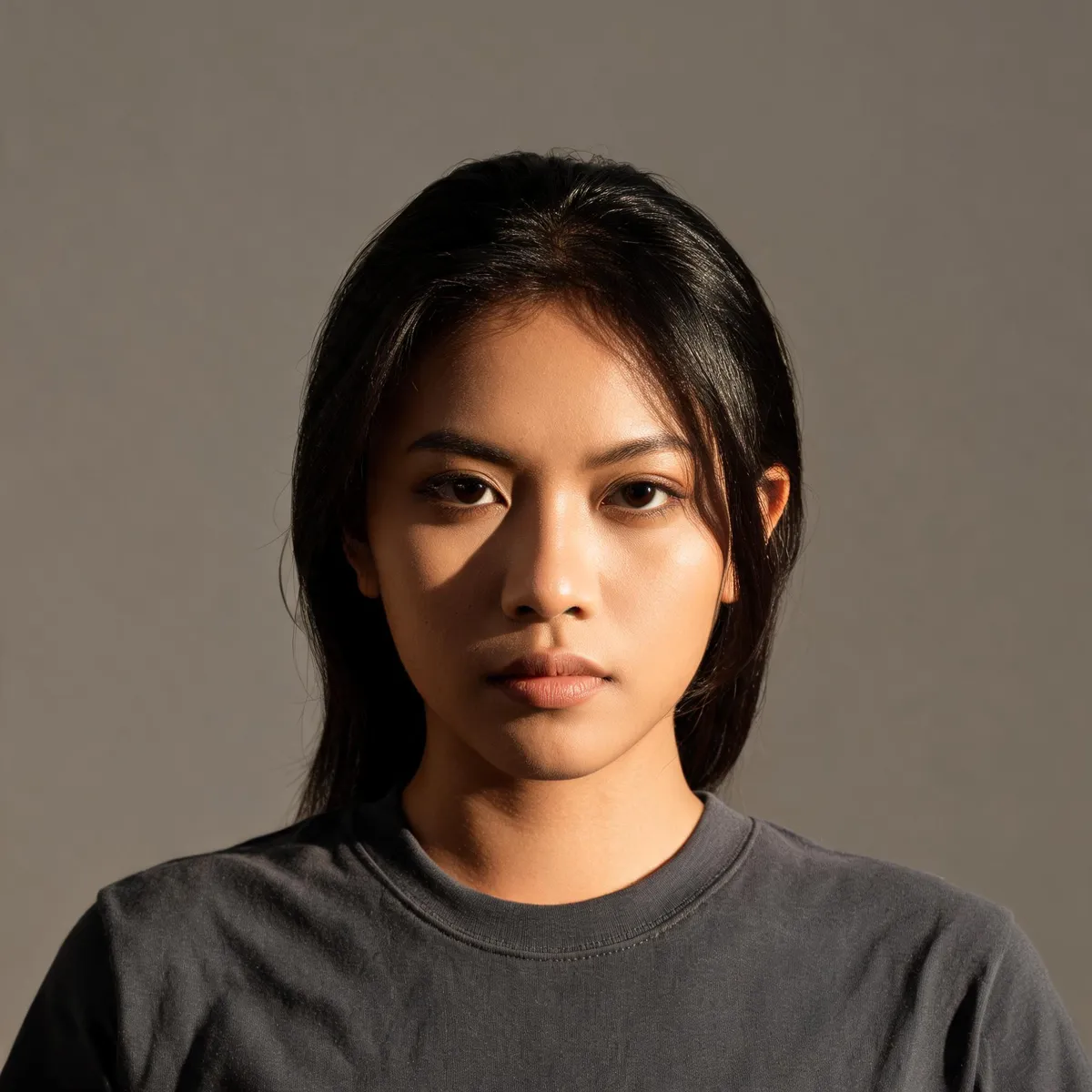
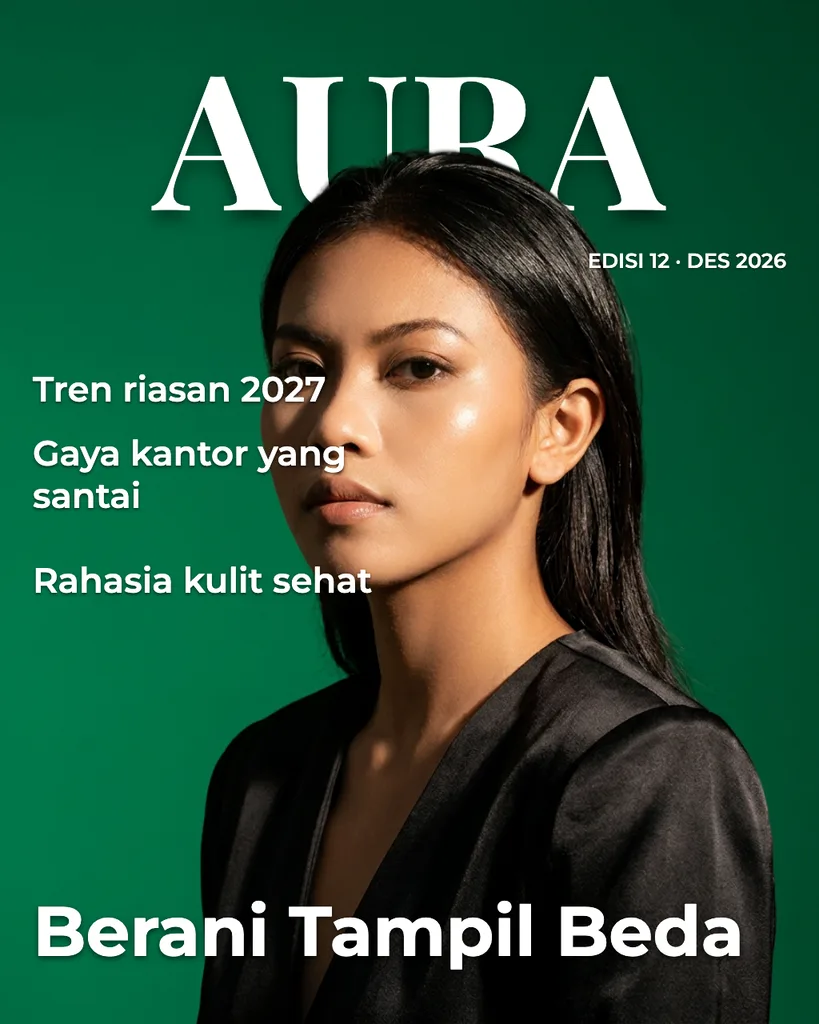
Glamour · Classic, behind
Pick a sample, then drag to see before and after.
More results
How it works
- 1
Start from a photo or an idea
Upload a photo of a person, a pet, a car or a product, or describe the cover picture you have in mind. Pick a look: Glamour, Business, Music, Lifestyle or Family.
- 2
Get the picture, no text yet
Up to four pictures per run, in the 4:5 shape of a magazine page. The model never writes on them, so nothing comes out misspelled.
- 3
Write the cover
Press Write text and pick a template. Type the magazine name, headline, up to five cover lines, the issue line, a name and a badge, then drag, resize or turn anything.
- 4
Put text in front or behind
Every text, shape and the subject are layers. Send the masthead behind your subject and the head covers part of it, exactly like a real cover. Add a frame or a coloured strip down the side if you like.
What you can make
Birthday surprises
Make a friend the cover star for their birthday, with inside jokes as the cover lines. Prints nicely as a poster too.
Pet owners
Your cat in sunglasses on the cover of its own lifestyle magazine. Animals are kept exactly themselves, markings and all.
Small brands
Put a new product on a business or lifestyle cover for a launch post, with the price on a barcode label in the corner.
Creators and coaches
A cover-style image for a profile, a course launch or an event poster, with your name set big like a feature story.
Specs & limits
- Input
- One photo (people, pets, cars, products), or a description
- Looks
- Glamour, Business, Music, Lifestyle, Family
- Templates
- 12 layouts, including masthead behind the subject, vertical masthead, full frame and side strip
- Text
- Magazine name up to 20 characters, headline up to 60, up to 5 cover lines of 50, issue line, name, badge and price
- Lettering
- 20 fonts, set per text: weight, colour, outline, shadow, gold or glow, box, spacing, capitals and rotation
- Output
- 1 to 4 pictures per run, 4:5 portrait
- Commercial use
- Yours to use, including print
- Cost
- 31 credits (≈Rp 2.480+) per image
Tips for better results
- A photo where the whole head is in frame works best for a title behind the head. If the top of the head is cut off, there is nothing for the title to sit behind.
- Short magazine names look the most like the real thing. Four to eight letters fill the top nicely in big type.
- Changing the template moves everything to the new layout but keeps the styles you set. Tidy up puts things back in the template’s places.
- Made two pictures in one run? Pick which one gets the text at the top of the editor.
Frequently asked questions
Will the text be spelled right?
Yes. The picture is made without any text, and your words go on afterwards in real fonts, exactly as you typed them.
How does the title go behind my head?
Wujud cuts your subject out of the picture for free when you open the editor. In the layer list, anything below the subject sits behind it, so the head covers part of the title.
Can I use a real magazine’s name and logo?
The templates use plain fonts and generic layouts, not any real magazine’s logo. A real magazine’s name is a trademark, so keep covers with one for personal fun and do not use them to sell anything.
Can I write different text on the same picture?
Yes. Open the picture again and write a new version. Each one comes out as its own cover, and the picture is not made again.
Is it free?
No. Each picture spends AI credits from your Wujud account, at a price the tool shows before you run it. The first text written on a picture is free, and every one after that costs a few credits, shown on the button.
Ready to make yours?
Put yourself, your pet or your product on a magazine cover. Pick a layout, drag the text where you want it and tuck the title behind your subject.
Free to sign up, no card needed. Top up from Rp 10rb = 125 credits.
Related tools