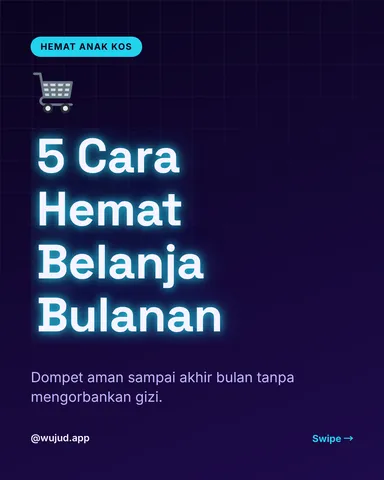
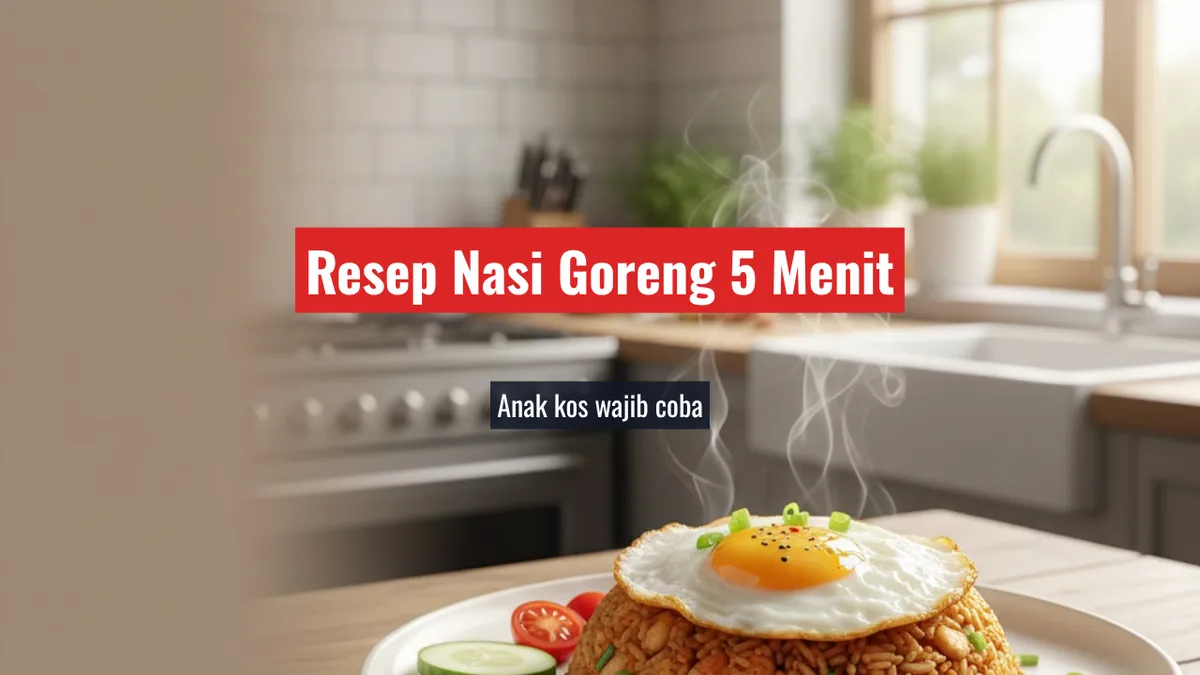
Thumbnails built to earn the click
This YouTube thumbnail generator creates the background image from your description and burns the headline into it at full resolution, so the text stays sharp instead of being scaled up later. Output is 1280×720 for YouTube, or 1080×1080 and 1080×1920 for square and vertical covers.
- Per image
- from 5 credits
- ≈Rp 400+
- If it fails
- 0 credits
- you get them back
That's the cheapest way to run it. What you pick and any text the AI writes can push it higher. You see the exact number before you run it.
Free to sign up, no card needed. Top up from Rp 10rb = 125 credits.
More results
How it works
- 1
Describe the background
Up to 2,000 characters. This is generated, not uploaded.
- 2
Write the headline
Up to 120 characters, plus an optional subtitle of 160.
- 3
Pick a style and size
Five text presets, 16:9, 1:1 or 9:16, and Low, Medium or High quality for a generated background.
What you can make
YouTubers
Thumbnail is the single biggest lever on click-through, and 1280×720 is exactly what YouTube wants. No resizing, no upscaling.
Podcast and Shorts channels
The 9:16 output covers Shorts covers, so one tool handles both placements of the same episode.
Course creators
Lesson covers need to look like a set. Same preset and background prompt across a series does that without a designer.
Anyone testing titles
Generate the same background with three headlines and compare which reads at thumbnail size.
Specs & limits
- Input
- Text only: a background description, no image upload
- Dimensions
- 1280×720 (16:9), 1080×1080 (1:1), 1080×1920 (9:16)
- Text limits
- Background prompt 2,000 · headline 120 · subtitle 160
- Text presets
- Bold Yellow, Outline Pop, Minimal, Impact, Quote
- Quality
- Low, Medium or High, for a generated background
- Billing
- Only the background image is charged, and burning in the text is free
- Cost
- 5 credits (≈Rp 400+) per image
Tips for better results
- Write the headline for thumbnail size, not for the title bar. Three to five words survive; the 120-character limit is a ceiling, not a target.
- Describe a background with a quiet side. Text goes on top, so a busy centre-frame image leaves the headline nowhere to sit legibly.
- Do not repeat the video title. The thumbnail and the title are read together, so saying the same thing twice wastes half the space you have.
- Use Outline Pop or Impact over a photographic background and Minimal over a flat one. Outlined type is what keeps text readable against detail.
- Generate the background once and try several headlines on it. Only the image costs credits, so testing wording is effectively free.
Frequently asked questions
Can I upload my own image?
Not here. The background is generated from your description. If you want to work from a photo you already have, use the image-editing tools and add text separately.
What size are the thumbnails?
1280×720 for 16:9, which is YouTube’s expected size; 1080×1080 for square; 1080×1920 for vertical covers.
Is the text sharp?
Yes, the headline is composited at full resolution rather than generated as part of the image, so letterforms stay crisp and read correctly. That step is also free; only the background image is charged.
How long can the headline be?
Up to 120 characters, with an optional 160-character subtitle. In practice a thumbnail headline works at three to five words.
Is it free?
No. Generating spends AI credits from your Wujud account for the background image only. Credits are bought as a pack; new accounts start with none. Free accounts can use it too, and their results are kept for 24 hours.
Ready to make yours?
Describe a background, add a headline, get a 1280×720 thumbnail with crisp burned-in text. Five caption styles, square and vertical too. Design your next one.
Free to sign up, no card needed. Top up from Rp 10rb = 125 credits.
Related tools