Peel-ready sticker art from your own photo
Upload a photo and this tool turns the subject into die-cut sticker art: cut out of its background, centred, given a bold outline and the thick white border that makes a sticker read as one. Use your own photo, or one everyone in it agreed to.
- Per image
- 35 credits
- ≈Rp 2.800
- 4 variations
- 140 credits
- ≈Rp 11.200
- If it fails
- 0 credits
- you get them back
Free to sign up, no card needed. Top up from Rp 10rb = 125 credits.
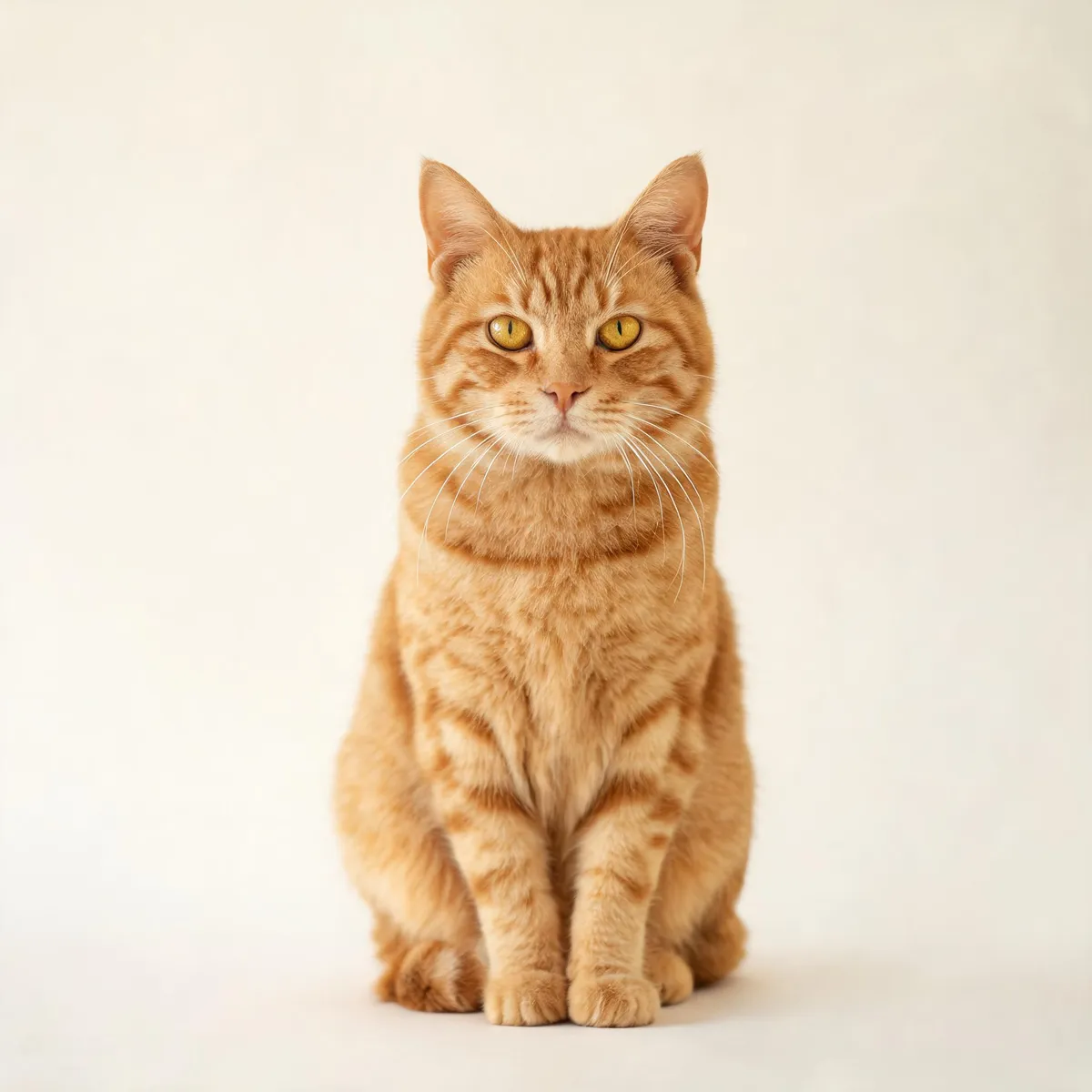
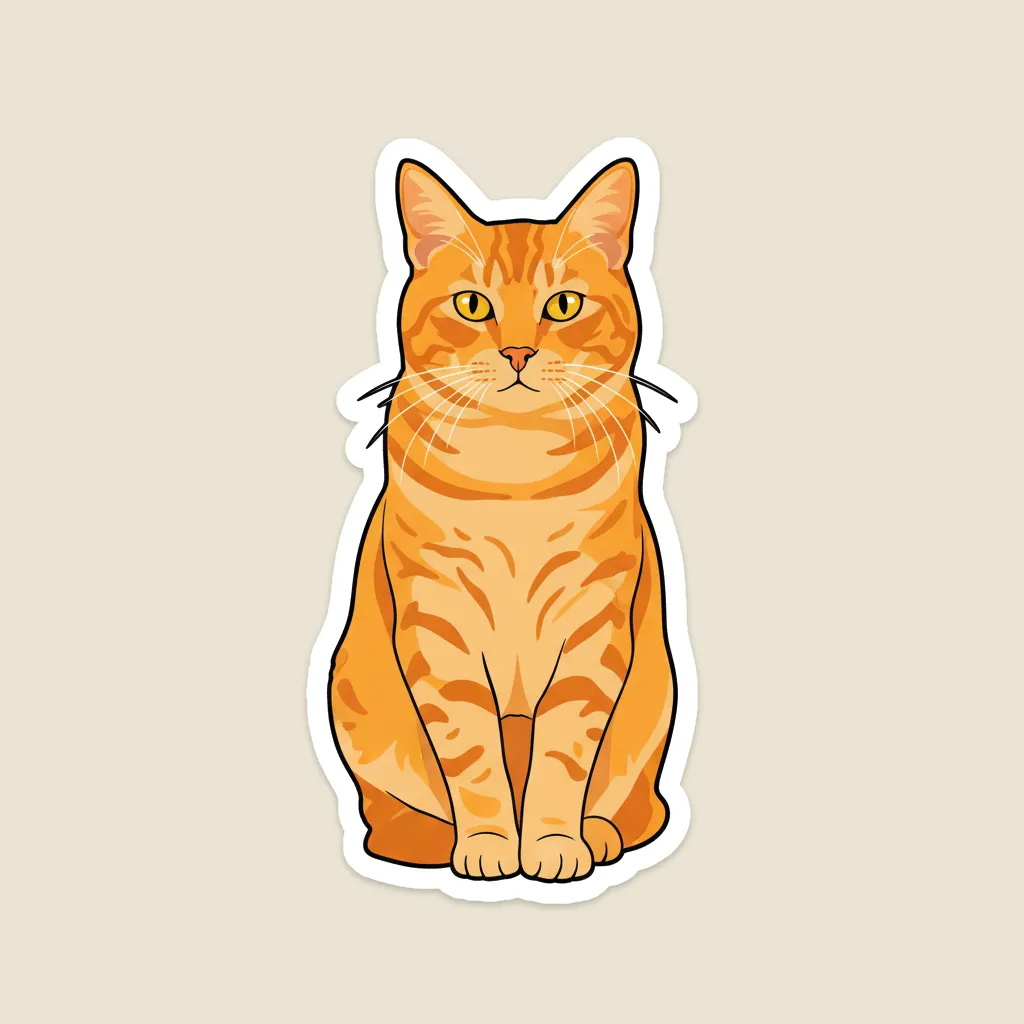
Die-cut
Pick a sample, then drag to see before and after.
More results
How it works
- 1
Upload a photo
One clear subject. A plain background helps the cut-out.
- 2
Pick a style
Die-cut, kawaii chibi, or holographic.
- 3
Generate
You get a PNG with a transparent background, ready to drop into a chat or a design.
What you can make
Chat and messaging packs
A set of reactions made from your own photos, in one consistent style.
Small shops and merch
Laptop and packaging stickers from product photos you already have.
Events and communities
Mascots and badges from a team or pet photo, ready the same afternoon.
Social media teams
Cut-out elements to layer over stories and reels.
Specs & limits
- Input
- One photo you upload
- Styles
- Die-cut, kawaii chibi, holographic
- Custom direction
- Up to 2,000 characters, added to the style preset
- Output
- 1 to 4 images. Transparent PNG by default, or PNG or JPEG on a plain background
- Approach
- Subject cut out and bordered, with its identity preserved
- Commercial use
- Yours to use, including print
- Cost
- 35 credits (≈Rp 2.800) per image
Tips for better results
- One subject, and the simpler the background the cleaner the cut-out. A busy scene gives the outline too many edges to choose between.
- A strong pose or expression survives; fine detail does not. Stickers get used at thumbnail size, where attitude is what reads.
- For a set, run the same photo through each style one at a time. They come back looking related, and you only pay for the ones you keep going with.
- Do not ask for a word on the sticker. Image models cannot spell reliably, so add lettering yourself afterwards.
- Kawaii chibi reshapes the body most, so it drifts furthest from the original. Die-cut holds a likeness closest.
Frequently asked questions
Is the background transparent?
Yes, by default. "Transparent background" is on when you open the tool, so the sticker comes back as a PNG with nothing behind it. Switch it off if you want it on a plain background instead, as a PNG or a JPEG.
Can I print these as real stickers?
Yes. Keep the transparent background on so the printer has a clean cut line to follow, then send the PNG to whoever does your printing. The bold outline and white border are there for exactly this.
Can I use a photo of someone else?
Only if everyone in it agreed. Before each run you confirm the photo is yours or that they did, and that confirmation is kept with the job. A sharp, well-lit, front-facing photo gives the cleanest sticker.
Is it free?
No. Each run spends AI credits from your Wujud account, billed per output image. Credits are bought as a pack; new accounts start with none. Free accounts can use it too, and their results are kept for 24 hours.
Can I use it commercially?
Yes, including print and client work.
Ready to make yours?
Your subject cut out, outlined and given a thick white border, in die-cut, kawaii chibi or holographic style. Ready to print or share. Make one now.
Free to sign up, no card needed. Top up from Rp 10rb = 125 credits.